
Tick off a mission
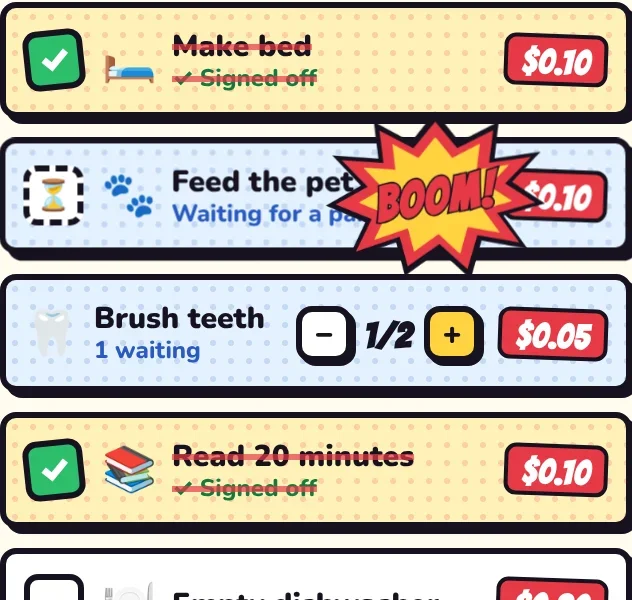
Each chore is a mission with its own pay. Kids tap it when it's done. POW!
What's your time worth? Chore Bank ends the constant reminders. Kids see their own missions, tick them off and watch their pocket money and hero rank grow. Along the way they learn to spend, save and give.
A chore chart and pocket-money app for primary and intermediate school kids in New Zealand, ages 5 to 12.
14-day free trial with everything on · Then NZ$9.99 once, no subscription · No card, no sign-up, no ads
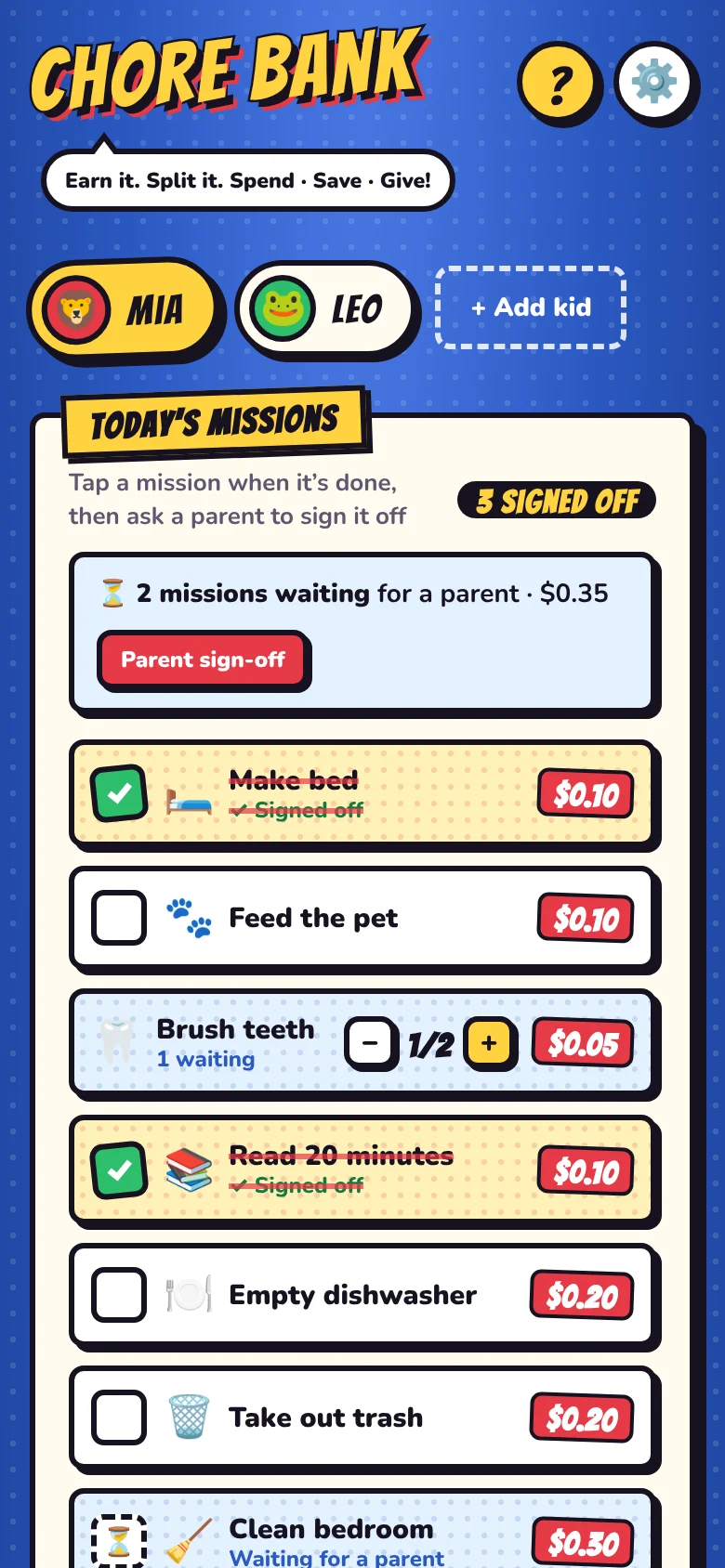
Your kids chase the chores, not you. You just sign off.
Each chore is a mission with its own pay. Kids tap it when it's done. POW!
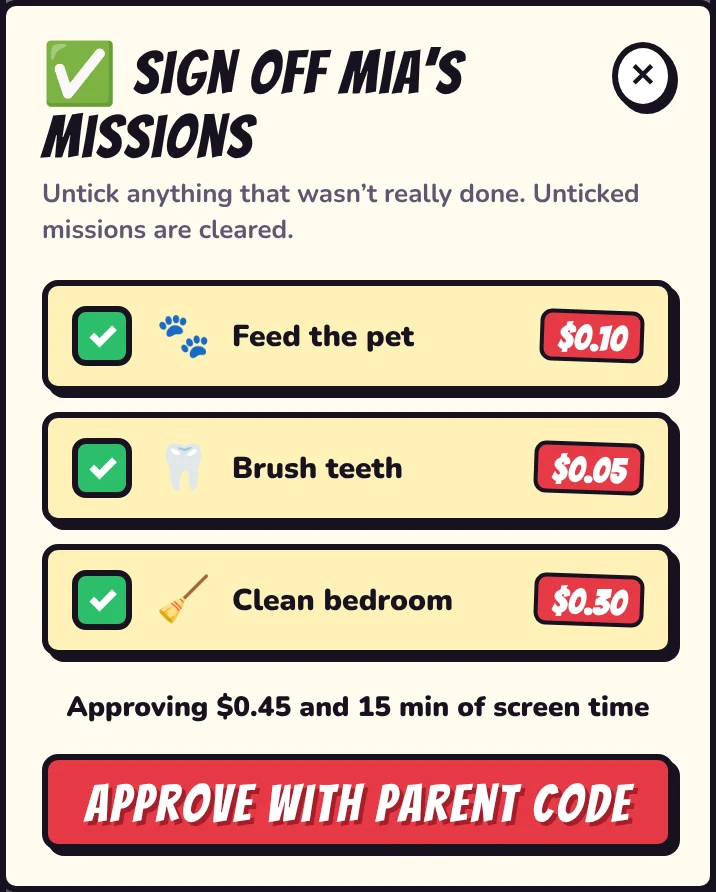
You check the list, untick anything that wasn't really done, and approve with your 4-digit code.
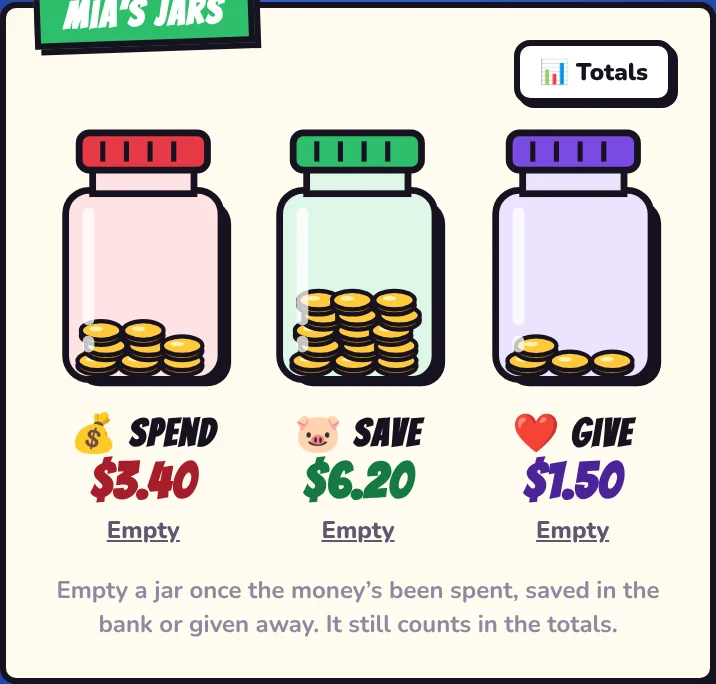
Kids split their money between Spend, Save and Give. KA-CHING! The jars fill with coins.
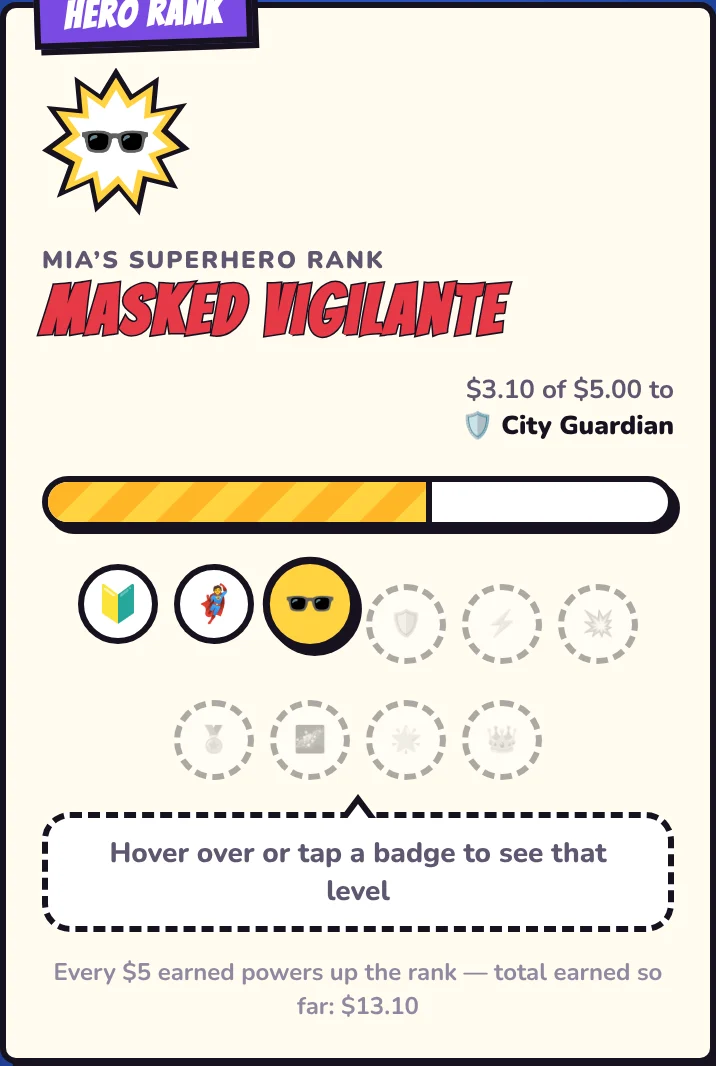
Every $5 earned unlocks a new hero rank, from Sidekick all the way to Ultimate Icon.
Every dollar your kids earn gets split three ways, and each jar teaches something school doesn't.
Their money, their choice. Let them spend it on whatever they want. Choosing well is learned by choosing.
Bank it into a real savings account and show them it grows all by itself. Interest is the best magic trick you'll ever teach them.
Buy a gift for someone or donate to a charity they choose. Every kid has the capacity for generosity; this jar turns it into a habit.
Why we built Chore Bank.
After years of nagging and reminding our kids to do their chores, countless chore charts on the fridge, and gold stars and stickers here, there and everywhere, I knew there had to be a better way. A way to keep track, but also to get the kids invested in actually doing the chores.
The idea for Chore Bank came from a story I heard about a father who gave his kids three envelopes each month to divide up their pocket money. It really stuck with me:
So I built Chore Bank. Chores get done and kids learn responsibility. Their jobs earn real rewards, which starts them on a journey to understanding money. And they learn that whatever we earn and build, the world and we ourselves need some generosity, and that the feeling you get from giving is a reward in itself.
So here it is: a simple, easy-to-use Chore Bank that helps kids and parents enjoy these jobs together, learn more, get rewarded and have fun.
— Cory, Kiwi dad of three and founder of Chore Bank
Everything a parent asked for, nothing a kid can get around.
Mum, Dad, Nana or the babysitter each get their own code. The activity list shows who approved what.
Every signed-off mission adds 5 minutes. Kids spend it when a parent says yes.
A simple money lesson built in, with monthly and yearly totals for every jar.
From walking the dog to collecting the eggs. Set what each chore pays and how often it counts.
No ads, no accounts, no tracking. Your family's data stays on your own device.
The kids' screens have been translated into te reo Māori and are being checked by a fluent speaker. They'll arrive in a free update. Works on any phone, tablet or computer.
Try everything free for 14 days. Then keep it with one payment, never a subscription.
$0 for 14 days
NZ$9.99 one-off, no extra fees
🎉 Early families: NZ$7.99 if you buy by 30 November 2026
Room for 3 more kids and 2 more adults (Grandma, the babysitter) for NZ$9.99, paid once. Packs add up: 6 kids and 4 adults with one pack, 9 and 6 with two. Buy one any time, even during the trial.
NZ$9.99 +3 kids, +2 adults
Buy them inside the app, any time during or after the trial: open settings and tap Get Family Pass.
When you buy a Family Pass, type your child's school at checkout and we give that school 50c. Every school's total goes on our fundraiser leaderboard, so get your school's families on board and watch it climb. We pay each school when it reaches $50, $100 and $250, then every $250 after that, and pay out whatever is left on 31 March each year. Every payment is ticked off on the leaderboard.
The things parents ask us most.
It suits primary and intermediate school kids best, roughly 5 to 12 (Years 1 to 8). Younger kids love the icons and the KA-CHING; older kids enjoy splitting their money and chasing hero ranks.
Both. It works like a chore chart your kids tick off themselves, and each chore earns pocket money once a parent signs it off. The money is split into Spend, Save and Give jars, so kids learn to manage it as well as earn it.
Yes. It's made in New Zealand by CMD Services, prices are in NZ dollars, and families can name their child's school at checkout so the school gets 50c from every Family Pass. Kids' screens in te reo Māori are coming in a free update.
No. Chore Bank keeps track of what your kids have earned. You still hand over the real pocket money, or move it to their bank account, then tap "Empty" on that jar.
Only on the device you use, inside its web browser. We don't have accounts, we don't collect your kids' names, and nothing is sent to us. Clearing your browser data will clear the app, so use one family device.
Chore Bank is designed to run from one device: a family tablet or phone that everyone uses, with each adult approving things with their own parent code. It doesn't run on several devices at the same time. Live syncing between phones is planned for a future version.
No. On the old device, open settings and tap Move to a new device. Scan the QR code with the new device and everything comes across: kids, chores, jars, history, adults and your Family Pass. It's a one-off move, not a link between the two, so use the new device from then on. The code works once, for 15 minutes, and your data is scrambled with a key that only exists inside the QR code, so nobody else can read it on the way, including us.
Open the app, then on iPhone or iPad tap Share and choose Add to Home Screen. On Android, tap the menu and choose Add to Home screen.
iPhone and iPad: do this before you set up your family. Safari deletes a website's saved data if it isn't opened for a week, but the Home Screen app keeps it. The Home Screen app starts empty, so if you've already started in Safari, tap Show me on the blue strip in the app and it'll copy your family across.
Chore Bank locks. Your kids' jars, savings, history and hero ranks stay saved and on screen, but ticking off missions and banking stop until you get the Family Pass. There's no card to cancel and nothing is charged automatically.
Pay NZ$9.99 once for up to 3 kids and 2 adults, or add a Bigger Family pack (NZ$9.99 for 3 more kids and 2 more adults) if your family is bigger. Your unlock code appears on screen straight away, unlocks Chore Bank on that device, and is emailed to you too. On another device, just type in the same code. Lost it? Use Find my code.
At checkout there's a box for your child's school. Fill it in and we give that school 50c from your Family Pass. We pay each school when its total reaches a milestone: $50, then $100, then $250, then every $250 after that. Amounts in between carry over to the next milestone, and anything left is paid out at the end of the financial year (31 March), so every school gets its money. Every payment is ticked off on the leaderboard. It's optional and it doesn't change your price. See how every school is doing on the fundraiser leaderboard.
Yes. If it isn't right for your family, email us within 14 days for a full refund. Read our refund policy.
Any other adult's code can change it in settings. If you're the only adult, clear the site's data in your browser to start again, then re-enter your Family Pass code.
Questions, a lost unlock code, or a school fundraiser? Email us and a real person at CMD Services will reply within one working day.
support@chorebank.co.nz